
002 |

Hi, I'm 'Palm Ninja'.

I got a great secret about Palm/Pilot from Japan!
It's 'DA'.
Do you know DA?
It is a great invention that makes Palm/Pilot convenient!
What is DA?
OK! I'll show you about it, now.
They abbreviate 'Desk Accessory' as 'DA'.
Then what is 'Desk Accessory'.

Tatsusi Yamada is a famous programer in Japan.
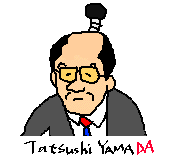
He made 'J-OS'.
Only installing it, you can write and read Japanese on your Palm/Pilot.
And he made 'World Finder' that was the first web browser for Palm/Pilot,
'PiloKey' that you can use Newton Keyboard
for inseting text into Palm/Pilot with it, and so on!
For the sake of them, the technologist in Palm Computing Inc.
called him "Hacker Dude-san".
'DA' was made by this "Hacker Dude-san".

About 'DA', Hacker Dude-san said,
|
|
Do you understand that?
DA is a small utility.
DA works without stopping another application.
DA looks like HACK.
But, DA damaged less speed and stability of Palm/Pilot than HACK.
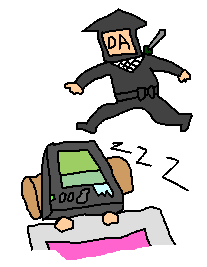
And have you ever been at a loss to forget the toggle sign of HACKs?
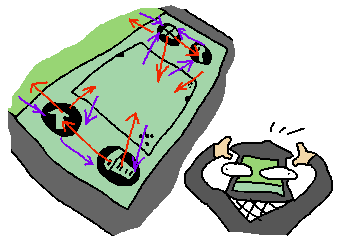
If you have many HACKs,
perhaps you must learn their all toggle signs by heart
just as if the Major League Pitcher.
But, the toggle way of 'DA's are very very simple.
DAL is the DA Launcher!
Install DA Launcher(DAL) and favorite DAs.
Launch HackMaster and check DA Launcher on.
You can launch DAL by tapping most left side of Applications icon
or menu icon and most right side of find icon or calculator icon.
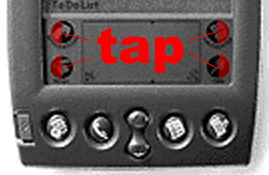
Pop up list of DA will appear.
In the list,choose one to launch.
you only tap the left
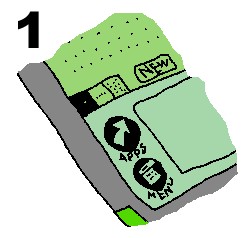
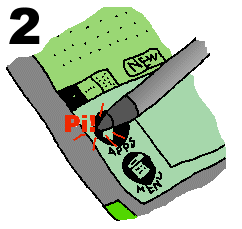
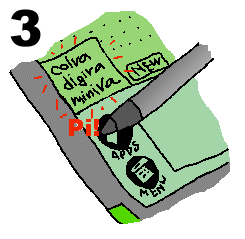
After the above DA list appeared,
only tap the DA that you want to launch, it launch!
That's all!
By the way, what kind of DA do you can get?
Next time, I'll show you that.
Bye now!
1999.1.3
You can get the information and software of DA
at the following site.
Cute & Funky DAs

